Auth and security UX/ 2026
Speedchain’s authentication system relied on a username-based login flow that was not built for scale, security, or compliance requirements as the product expanded into financial operations. This created friction in user access while limiting the platform’s ability to support stronger security standards.
The challenge was to redesign authentication into a secure, scalable, email-first system with MFA and passkey support, while maintaining a low-friction user experience for both web and mobile.

TIMELINE
1 Month
THE TEAM
Tejaswini (me) - Designer
MY ROLE
Led the end-to-end redesign of Speedchain’s authentication system across web and mobile, transforming a username-based login flow into a secure, scalable, email-first experience with MFA and passkey support.
Defined and designed core authentication flows including login, MFA enrollment, passkey setup, and session management, balancing security requirements with low-friction user access across platforms.
Partnered closely with engineering leadership to align on technical constraints, compliance requirements, and cross-platform implementation feasibility.
Owned the process from flow definition and wireframing to high-fidelity design, driving the system from concept through validated and approved execution.

Meet Compliance Requirements
Implement Multi-Factor Authentication to satisfy Plaid requirements and ensure uninterrupted access to payment infrastructure.
Strengthen Security
Protect user accounts through layered authentication, secure session management, and risk-based verification
Reduce Login Friction
Replace high-effort login patterns with faster, low-friction methods like passkeys and biometric authentication
Modernize Identity System
Transition from username-based login to an email-first model while maintaining backward compatibility for existing users.
Drive Adoption of Secure Behaviors
Encourage users to move toward more secure authentication methods without forcing unnecessary friction
Rather than treating MFA as a standalone feature, I approached authentication as a connected system spanning identity, login, session behavior, and high-risk actions. The goal was to strengthen security while reducing friction, not increase it.
Passkey-First Approach
Instead of relying on traditional MFA (e.g., OTP for every login), I prioritized passkeys as the default authentication method, making the most secure option also the easiest.
*Reduced phishing risk while improving speed and usability
Simplifying Identity (Username → Email)
The legacy username system added cognitive load and support friction. I transitioned authentication to an email-first model, while designing a fallback layer to support existing users during migration.
*Modernized the system without breaking user habits
Contextual, Risk-Based Security
Not all actions require the same level of protection. I introduced step-up authentication, where additional verification is triggered only during high-risk actions like bank linking.
*Maintained strong security without degrading everyday usage
Platform-Specific Session Design
Authentication behaviors were rethought based on real usage patterns: Web: Added inactivity-based session protection Mobile: Replaced forced logouts with biometric gating (FaceID/TouchID)
*Aligned security with how users actually interact across platforms
Designing for Adoption
Security systems only work if users adopt them. I designed flows that: prompt passkey creation at the right moment reward secure behavior (no OTP for passkey users) reduce reliance on passwords over time.
*Shifted authentication from a requirement to a user-aligned experience
Passkeys vs Traditional MFA (OTP Everywhere)
Decision: Prioritized passkeys as the primary authentication method
Considered: Enforcing OTP-based MFA on every login
Why: OTP adds friction and is vulnerable to phishing and SIM-swap attacks. Passkeys provide stronger security while reducing user effort, making the most secure path also the easiest.
Step-Up Security vs Global MFA Enforcement
Decision: Introduced step-up authentication only for high-risk actions (e.g., bank linking)
Considered: Forcing MFA at every login or action
Why: Applying MFA universally would slow down everyday tasks. A contextual approach maintains strong protection where it matters most, without degrading the overall experience.
Email-First Identity vs Legacy Username System
Decision: Transitioned to email-based login while supporting username fallback
Considered: Immediate removal of usernames
Why: Fully removing usernames would risk locking out existing users and increasing support load. A gradual migration balanced modernization with real-world user behavior.
Biometric Gating vs Forced Logouts (Mobile)
Decision: Replaced 72-hour forced logout with biometric authentication on app access
Considered: Keeping forced session expiration
Why: Forced logouts create friction without guaranteeing security. Biometric gating provides continuous protection while maintaining a seamless user experience.
Soft Logout vs Full Session Reset (Web)
Decision: Implemented inactivity-based “soft logout” that preserves user state
Considered: Full logout and redirect to login screen
Why: Full logouts disrupt workflows and increase frustration. Soft logout secures the session while allowing users to resume exactly where they left off.
iterations
The initial low-fidelity flows established the foundational structure of the authentication system, exploring different approaches to login, MFA enrollment, and session management. These early iterations focused on mapping user journeys, identifying friction points, and aligning core flows with security and compliance requirements.
During this phase, I also iterated on earlier design directions, refining existing concepts and removing unnecessary elements that did not support user needs or system constraints. This helped simplify the experience and clarify the core structure, setting a stronger foundation for the final high-fidelity design.


before
Overloaded registration screens with unnecessary fields, increasing cognitive load
Rigid, form-heavy layout with no clear progression or guidance
No visibility into password input, making verification difficult and error-prone
Lack of structure, information was not grouped logically, making the process feel scattered
Minimal visual cues, leaving users unsure of what step they were in or what came next
what I improved.
Simplified the flow by removing unnecessary inputs and focusing only on essential information
Introduced a step-by-step structure to guide users clearly through the registration process
Grouped related information into logical sections to improve scanability and comprehension
Added password visibility toggle to reduce input errors and improve confidence
Enhanced visual hierarchy and cues to create a clearer, more intuitive progression
Improved overall look and feel to align with a modern, scalable authentication experience
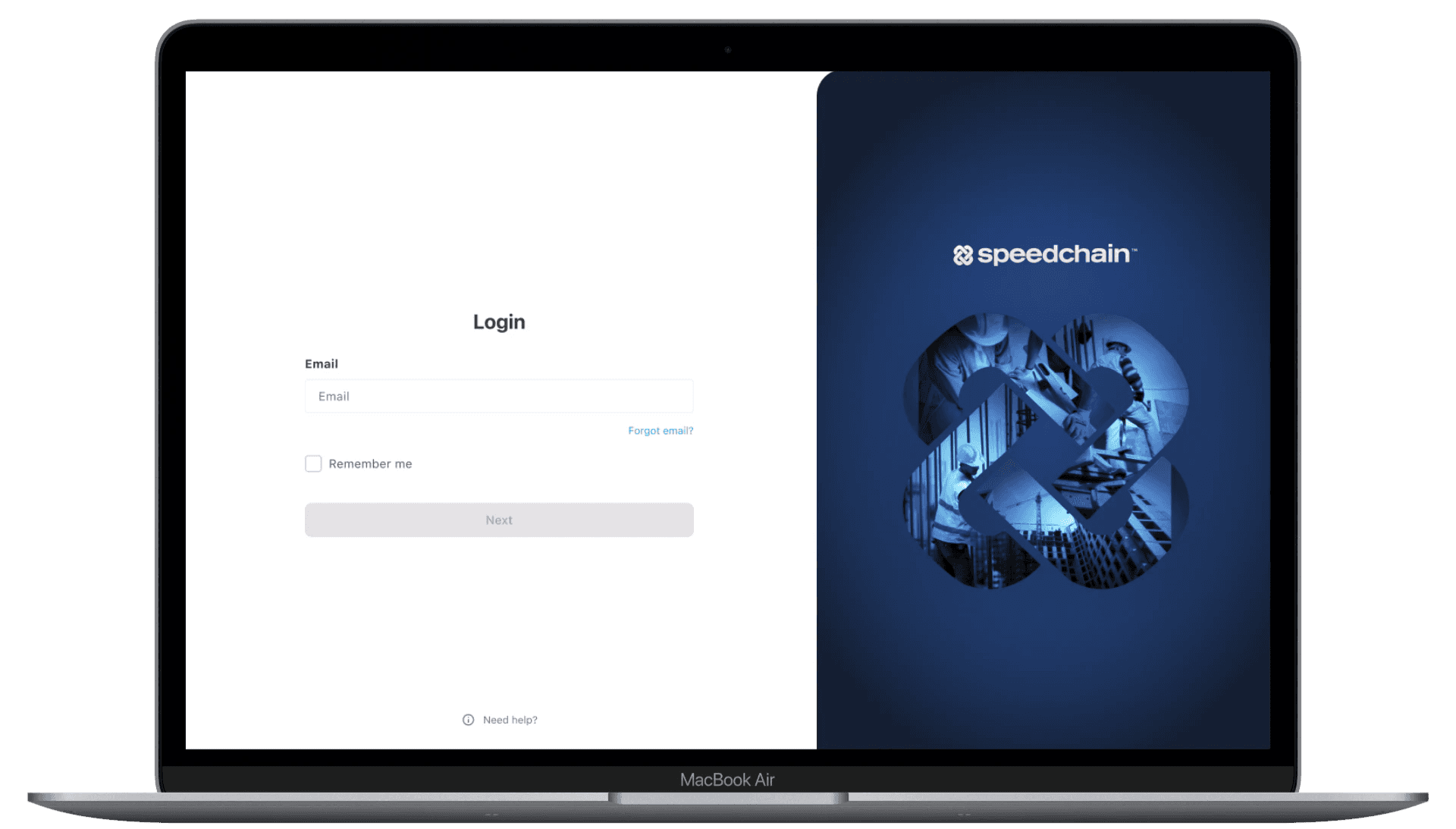


before
Authentication relied solely on username + password, increasing security risk
No multi-factor verification, making accounts vulnerable to credential-based attacks
Users frequently forgot usernames, creating friction and support dependency
No modern authentication methods (biometrics/passkeys) supported
Login experience was effort-heavy and repetitive across sessions
what I improved.
Introduced a passkey-first login flow, enabling secure, passwordless authentication
Added a post-registration prompt to encourage passkey setup at the right moment
Designed a flexible adoption flow with clear user choices:
Create passkey
Skip for now
Set up later from settings
Integrated biometric authentication (FaceID/TouchID) for faster, low-effort login
Established a secure verification step before passkey creation to prevent misuse
Reduced reliance on usernames and passwords, aligning with a modern, phishing-resistant system


before
No additional verification before linking a bank account
Sensitive financial actions were accessible after single-factor login
Increased risk of fraud through compromised accounts (e.g., unauthorized bank linking)
No distinction between low-risk and high-risk user actions
Security relied entirely on initial login, with no step-up protection
what I improved.
Introduced step-up authentication for high-risk actions like bank account linking
Designed a conditional verification flow based on login method:
Passkey users: seamless access (already MFA-secured)
Password users: required SMS OTP verification before proceeding
Ensured verification happens only when needed, not across all actions
Added clear, contextual messaging to explain why verification is required
Aligned the flow with compliance requirements while minimizing disruption


before
Web sessions never expired, creating security risks if devices were left unattended
Mobile sessions forced logout every 72 hours, causing unnecessary friction
No alignment between platform behavior and actual user usage patterns
Security measures were inconsistent and not context-aware
what I improved.
Redesigned session behavior to balance continuous security with minimal disruption
Web:
Introduced inactivity-based timeout (30 minutes)
Implemented a soft logout that blocks access without losing user progress
Enabled seamless re-authentication without page reset
Mobile:
Removed forced logout behavior
Added biometric gating (FaceID/TouchID) on app launch and inactivity
Aligned session logic with real user behavior across platforms
Ensured security without interrupting core workflows
mobile experience
The mobile designs focused on creating a seamless and low-friction authentication experience within smaller screen constraints. Core flows such as login, MFA verification, and passkey interactions were optimized for clarity, speed, and ease of use.
The new user registration flow was structured into 3 steps on web, but adapted to 4 steps on mobile to accommodate spacing constraints and reduce cognitive load by chunking information into smaller, more manageable inputs. This ensured that security requirements were met without overwhelming users, while maintaining a smooth and intuitive mobile experience.


/Security and usability
Balanced strong authentication measures with a seamless, low-friction user experience.
/Systems thinking
Designed authentication as a cohesive system across web and mobile, not just individual screens.
/Scalable design
Built flows that support growing security needs while remaining simple and intuitive for users.
Airlift me!
Rocket me to the top.